



InvestVisionInvestVisionInvestVision

InvestVision helps you know if the timing looks right before you buy.

Every day after the market closes, InvestVision checks the stocks you follow against a simple checklist, so you can decide calmly. In English, فارسی, or ਪੰਜਾਬੀ.

We're not a broker and we don't pick stocks. The decision is always yours.

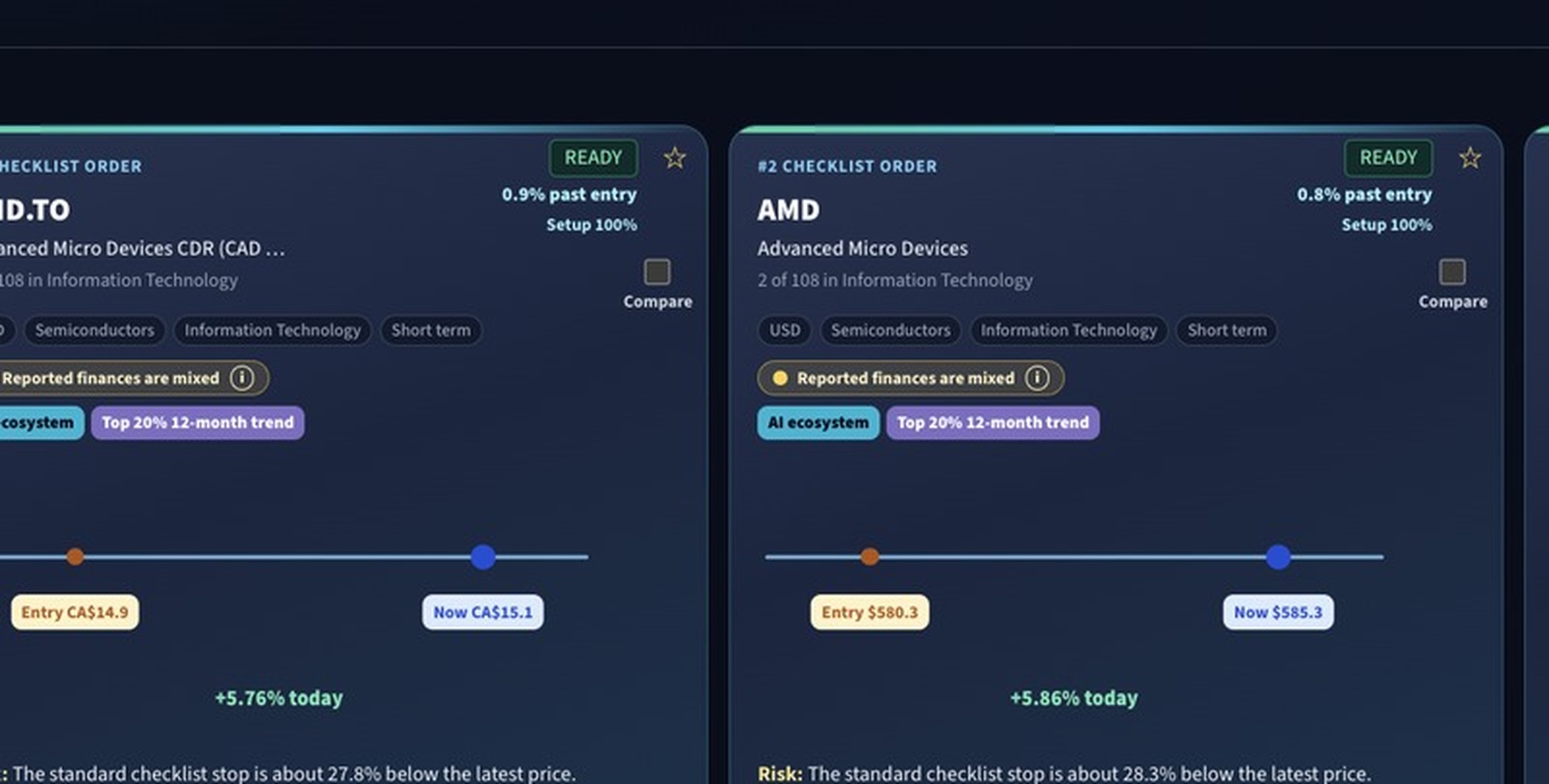
Real Radar screen with Ready, Wait, and Not ready cards
Real product screen — Ready / Wait / Not ready on Radar.

Investing on your own shouldn't feel like guesswork.

Everyone has an opinion. Headlines say buy, friends say wait, and your gut changes every hour. Without a routine, it's easy to decide on emotion.

How it works

  1. 1

    Check the market

    See if the overall market looks calm or fearful.

  2. 2

    Check your stock

    Each name gets a label: Ready, Wait, or Not ready. It tells you if today’s checklist for a new buy is met. It’s not a buy order.

  3. 3

    Plan what you own

    Save a stop and a target. We’ll message you when one is reached. We never sell for you.

Full walk-through

Try Ready / Wait — no signup

Demo cards only. Tap to flip. Not a live tip on these companies.

Try before you sign up

ReadyWaitNot ready

Demo only — tap a card. No signup. Not a live tip on these companies.

What you get

  • Checklist once a day

    Ready / Wait labels refresh after 5 p.m. Toronto. Prices can still update during the day.

  • Canada-ready

    CAD and USD stocks on one screen, with TFSA labels you add yourself.

  • Safe connection

    Optional read-only link to your brokerage. We never ask for your password.

  • In your language

    English, فارسی, ਪੰਜਾਬੀ.

Canada details

Who this is for

For you if

You pick your own stocks, think in weeks or months, and want a steady routine.

Not for you if

You trade within the day.

Why this exists

Reza built InvestVision in Canada for self-directed investors who want one calm Ready or Wait answer each day — in English, فارسی, and ਪੰਜਾਬੀ.

About Reza & InvestVision

Packages open soon.

Join the waitlist and we’ll email you when they do. Prices behind the blur are CAD — monthly or yearly (two months free). Ready and Wait are not stock picks.

Join the waitlist

Boundaries in one line

We do not place orders or promise profit. You read with us, you decide, and if you trade, you do it at your own broker. What the product is

Common questions

Who is InvestVision for?

People who decide on their own — often in Canada, with a plan of a few weeks to a few months. New or experienced. Not same-day trading.

Is this stock tips?

No. We don’t pick stocks. You decide.

Does InvestVision buy or sell shares?

No. Nothing here sends an order. A linked brokerage is read only.

What does Ready mean?

Ready means today’s checklist for a new buy is met, based on the last close. For example, the trend looks healthy and the price is near a sensible entry. It’s not a tip. The exact checks for each stock appear after you sign in.

Where does the data come from?

Checklist labels use last-close market data for the CAD and USD names we cover. We refresh after 5 p.m. Toronto.

How safe is the brokerage connection?

Optional and read only through SnapTrade. You sign in at your broker in that service’s window. We never ask for or store your brokerage password; we only read symbols and quantities. Nothing here places an order.

Do I have to link my broker?

No. The link is optional. You can use the checklist without connecting a brokerage.

Is it free?

You can try Test free for 7 days with no card (or join the waitlist while payment is closed). Near the end we offer yearly 50% off or monthly 30% off to stay. Paid packages start at CA$19/month for Starter. Ready and Wait are checklist labels, not stock picks. Details are on Packages on the home page.

When does the checklist update?

Ready / Wait labels refresh once a day after 17:00 Toronto. Prices can still update during the day. This is not a live trading screen for orders.

Who is behind InvestVision?

An independent Canadian product. Read the short story on About.

Can I use it in Persian or Punjabi?

Yes. Use the Language menu at the top and choose English, فارسی, or ਪੰਜਾਬੀ. Company names and ticker symbols stay in English, as on brokerage screens.